NAFHAC Digital Planner Installation & User Guide
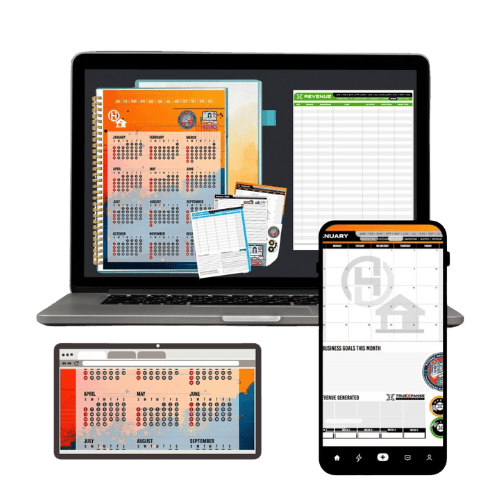
Welcome to the N-A-F-H-A-C Digital Planner, your all-in-one tool for managing your business, tracking goals, and staying organized. This guide will walk you through the installation process and key features to help you maximize its potential.
INSTALLATION INSTRUCTIONS
For Android Users:
1. Install the Required App:
- Before importing your NAFHAC Digital Planner, download the Journal Notes Planner app from the Google Play Store: Download Here: https://play.google.com/store/apps/details?id=journal.notes.planner.starnest\&pcampaignid=web_share
2. Download the NAFHAC Digital Planner.
- Visit the official NAFHAC website or your email to download the planner file (.pdf or supported format).
- Save the file to your device (preferably in a google drive or other cloud storage folder).
3. Import the Planner.
- Open the Journal Notes Planner app.
- Tap on Import or Open File.
- Locate the downloaded planner file and select it.
- The planner will now be available within the app for use.
For iOS Users:
1. Install a Compatible Notes or Planner App.
- Recommended apps: GoodNotes, Notability, or Noteshelf.
- Download from the App Store or using this link - https://apps.apple.com/us/app/goodnotes-6/id1444383602
2. Download the NAFHAC Digital Planner
- Visit the official NAFHAC website or your email to download the planner file.
- Save it to your Files app or iCloud Drive.
3. Import the Planner.
- Open your selected notes app.
- Tap on Import File or Open from Files.
- Locate and open the downloaded planner file.
4. Begin Using Your Planner.
- Utilize annotation tools, handwriting features, and text entry to start planning efficiently.
USER GUIDE
Key Features
✅ Monthly & Weekly Planning – Track tasks, deadlines, and meetings effortlessly.
✅ Customizable Sections – Tailor your planner to include personal and business goals.
✅ Expense & Income Tracking – Monitor your finances with built-in budgeting tools.
✅ Client & Project Management – Keep track of consultations, home inspections, and project details.
✅ To-Do Lists & Notes – Stay organized with interactive task lists and note-taking capabilities.
✅ Goal Setting & Reflection – Plan, set goals, and reflect on progress throughout the year.
Navigation Tips
- Swipe left or right to move between pages.
- Use bookmarks to save frequently accessed sections.
- Add sticky notes or highlights for important tasks.
- Sync with cloud storage for backup and multi-device access.
Troubleshooting & Support
- If the planner doesn’t open, ensure your app supports PDF or digital journal formats.
- Restart the app if files do not import properly.
- Reach out to NAFHAC support for additional help.
Get Started Today!
Your NAFHAC Digital Planner is ready to help you stay organized and achieve success in your business. Start planning now and take control of your workflow!
*Need Help? Contact:
National Association of FHA Consultants © All Rights Reserved 2025